• Global CNC market projected to reach $128B by 2028 • New EU trade regulations for precision tooling components • Aerospace deman
NYSE: CNC +1.2%LME: STEEL -0.4%

How to Troubleshoot an Automated Production Line Faster
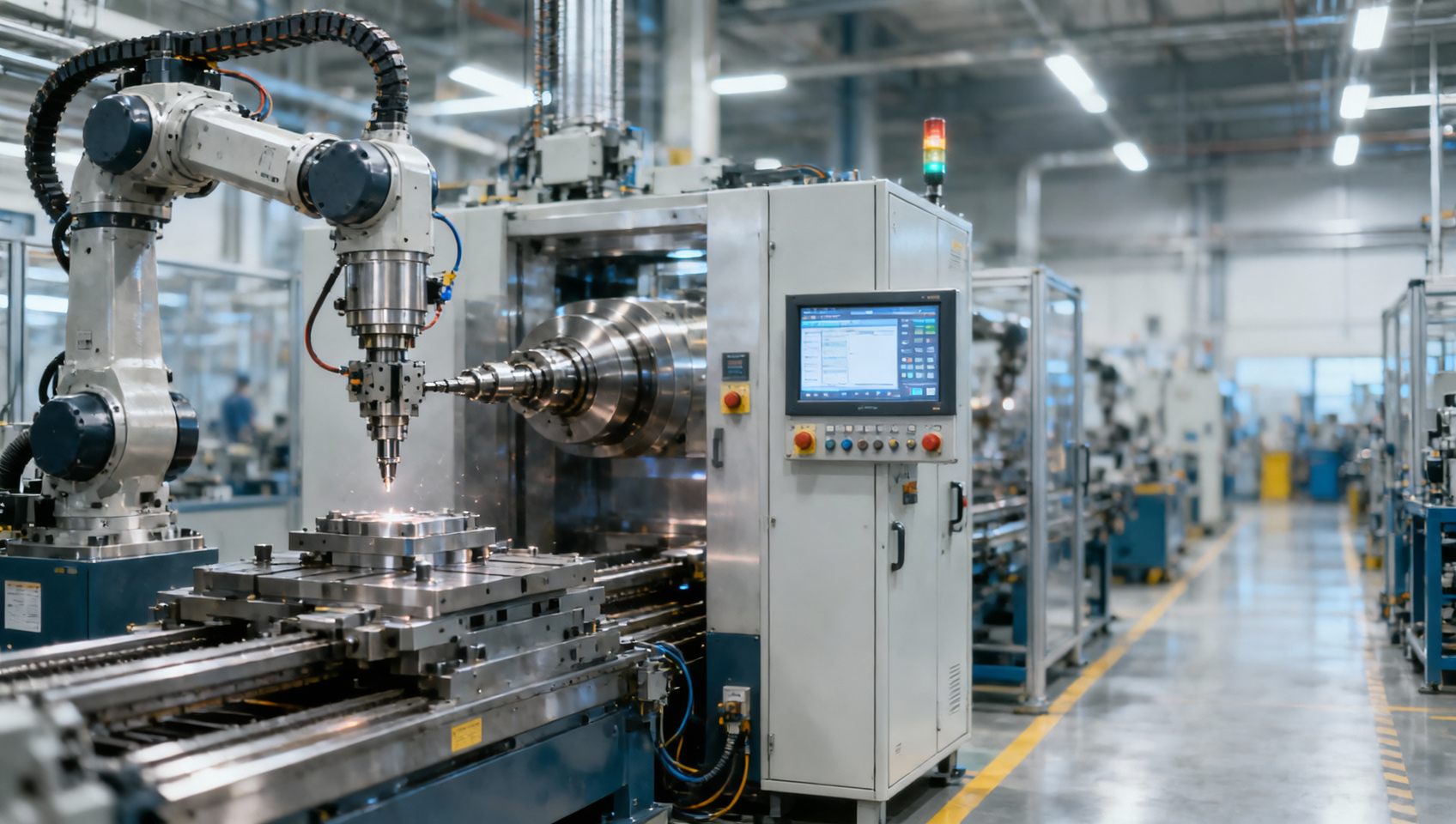
When an Automated Production Line stops, every minute affects output, quality, and cost. This guide explains how to speed up Automated Production Line troubleshooting by combining Industrial Automation control system for CNC machines, Digital Manufacturing Technology for smart factory, and practical checks for automated CNC manufacturing and high precision machine tool performance. Whether you manage precision CNC manufacturing or evaluate a CNC manufacturing supplier, these steps help reduce downtime and restore efficient production faster.
In CNC machining, precision manufacturing, and flexible automation, faults rarely come from one cause alone. A line stoppage may involve the CNC machine tool, robot, fixture, sensor, spindle load, PLC logic, HMI alarms, tooling wear, communication network, or upstream material flow. Faster troubleshooting is not about guessing faster. It is about narrowing the fault path in 5 to 15 minutes instead of 1 to 2 hours.
For operators, the goal is quick recovery with safe steps. For maintenance teams, it is root-cause isolation. For buyers and plant managers, it is lower downtime risk, better OEE, and stronger supplier support. The sections below focus on practical methods used across automotive, aerospace, electronics, and energy equipment production where high precision machine tools and automated CNC manufacturing systems must run with consistent accuracy.
Start with a Structured First-Response Routine
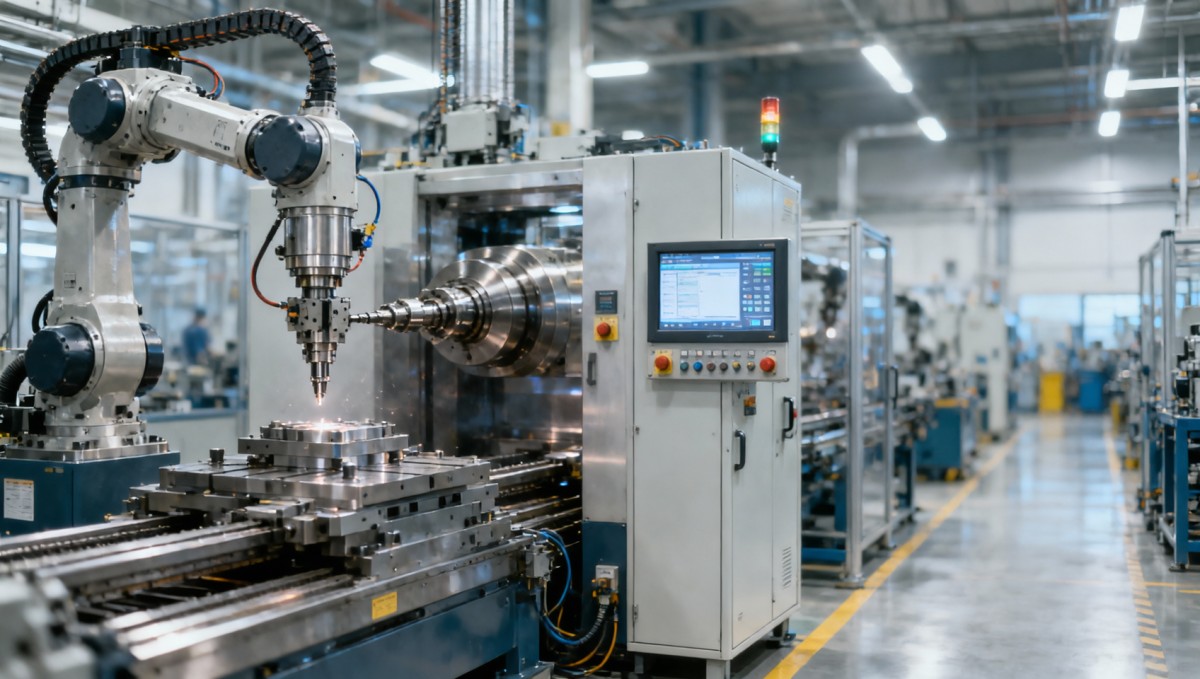
The fastest troubleshooting teams do not begin by disassembling hardware. They begin with a repeatable first-response routine. In most automated production line failures, the first 3 to 10 minutes determine whether downtime stays short or turns into a long investigation. A structured approach helps separate a local station fault from a line-wide control or material issue.
A useful first screen is to classify the stop into 4 categories: control fault, mechanical fault, process deviation, or supply issue. Control faults include PLC alarms, servo trips, fieldbus communication loss, and I/O mismatch. Mechanical faults include jams, backlash, spindle abnormality, or fixture clamping failure. Process deviations often appear as dimension drift beyond tolerance such as ±0.01 mm to ±0.05 mm, excessive burrs, or unstable cycle time. Supply issues include air pressure drops below the machine requirement, coolant shortage, chip overload, or missing parts at the feeder.
For operators and line leaders, a simple escalation map is essential. If the issue can be verified within 2 machine cycles, it should be handled at station level. If the same alarm repeats 3 times in 30 minutes, the issue should be escalated to maintenance or controls engineers. If 2 or more stations fail after one stop event, check network communication, safety interlock, and shared utilities before touching individual machines.
What to check in the first 10 minutes
The purpose of the first 10 minutes is not to solve every fault. It is to establish what failed, when it failed, and whether the problem is repeatable. Plants with strong response discipline often reduce mean time to repair by 20% to 40% simply because they stop chasing the wrong subsystem.
- Confirm the exact stop time, alarm code, active station, and current program step.
- Check whether the stop happened during loading, machining, tool change, part transfer, or final inspection.
- Verify utilities first: air pressure, hydraulic pressure, lubrication status, power fluctuation, and coolant level.
- Review HMI and PLC alarm history for the last 10 to 20 events, not just the latest message.
- Test whether manual mode can recover axis, gripper, clamp, or pallet movement safely.
This quick sequence prevents a common mistake: replacing a sensor or resetting a servo before checking the root trigger. In many CNC production cells, the displayed alarm is only the final consequence. A robot home position error may actually begin with a fixture not fully unclamped, and a spindle overload alarm may begin with tool wear, chip packing, or a wrong offset value.
Use Alarm Data and Process Signals to Isolate the Fault Path
Modern automated CNC manufacturing lines generate far more useful data than many teams use. PLC alarms, CNC controller messages, servo load trends, spindle current, cycle time history, temperature drift, and sensor state logs can usually narrow a fault path faster than visual inspection alone. In smart factory environments, Digital Manufacturing Technology can reduce diagnosis time when data is connected across machines, robots, and inspection systems.
The most effective method is to compare three layers at the same timestamp: machine event, process signal, and physical result. For example, if a machining center stops at tool change station 12, review axis position, tool magazine confirmation, spindle orientation status, and previous cycle time. If the cycle time was increasing from 52 seconds to 61 seconds over the last 15 parts, that trend may indicate drag, contamination, or misalignment before the stop occurred.
For buyers and decision-makers evaluating a CNC manufacturing supplier, this is also a procurement issue. A line with clear alarm hierarchy, data logging intervals of 1 to 5 seconds, and accessible maintenance screens is easier to recover than one with limited event records. Better diagnosability often produces better uptime even when two systems have similar nominal machining accuracy.
Alarm interpretation by failure pattern
The table below shows a practical way to read alarms without overreacting to the first message on screen. It is useful for operators, maintenance teams, and production engineers who need a shared troubleshooting language across CNC lathes, machining centers, and robot transfer cells.
The key conclusion is that alarm context matters more than alarm wording. A single message rarely tells the whole story. Teams that track trend data over the last 10, 20, or 50 cycles usually isolate the fault area faster than teams that rely only on manual observation after the stop.
Why event history matters
If event history is stored only for the last 3 alarms, diagnosis becomes reactive. If the system retains 100 to 500 events with timestamps, line teams can identify whether a robot wait signal started before a clamp fault, whether the cycle time drifted over 2 hours, or whether a temperature rise preceded accuracy loss. In precision CNC manufacturing, that difference directly affects scrap rate, restart speed, and preventive action planning.
Check the Physical Process: Tooling, Fixturing, Motion, and Utilities
Even in highly digital production, many line stops still come from physical process conditions. A control system can report the symptom, but the cause may be worn cutting tools, unstable fixture clamping, excessive chips, degraded coolant concentration, or a robot gripper that has drifted out of position by 0.2 mm to 0.5 mm. Faster troubleshooting requires matching digital signals to real machine conditions.
In high precision machine tool applications, small changes can create large disruption. A tool holder with runout beyond the process allowance, a clamp with weak repeatability, or thermal growth in a spindle after long-cycle machining can produce unstable dimensions before any hard alarm appears. Operators should therefore inspect the process chain in sequence: incoming part, clamping, motion path, cutting condition, part transfer, and final measurement.
Utilities are another frequent blind spot. Compressed air below the recommended pressure band, coolant concentration outside the target range, or hydraulic leakage may not trigger immediate shutdown but can cause repeated intermittent faults. In a line with 6 to 20 interconnected stations, one unstable utility point can create stop-start behavior that looks like a control problem even when the PLC logic is correct.
Common physical checks that save time
- Inspect tool life status and compare actual wear against planned replacement interval, such as every 200 to 1,000 parts depending on material and operation.
- Verify fixture clamping force and repeatability, especially if part dimensions drift after restart or after fixture cleaning.
- Check chip evacuation points, conveyor condition, and splash areas where sensors may be blocked by coolant mist or chips.
- Measure key utility values such as air pressure, coolant concentration, lubrication status, and hydraulic pressure instead of assuming they are stable.
- Run one dry cycle and one monitored production cycle to compare commanded sequence against actual machine response.
The following table summarizes where physical faults often appear in automated production lines and how quickly they can usually be screened.
This comparison shows why physical inspection should not be delayed. Many faults can be screened in under 20 minutes if teams know where to look. That is especially important for buyers comparing automated CNC manufacturing systems, because maintainability and access to key process points affect downtime as much as spindle speed or axis count.
A common mistake in precision production
A frequent mistake is resetting the line repeatedly without checking whether the process condition changed before the stop. If a part was already out of tolerance by 0.03 mm, or the spindle load had climbed for the last 25 parts, the line may restart only to fail again. Faster troubleshooting depends on linking machine behavior to process behavior, not treating them as separate issues.
Build a Troubleshooting Standard That Supports Operators and Managers
Speed improves when troubleshooting is standardized across shifts, stations, and suppliers. Without a clear standard, one technician checks wiring, another resets parameters, and a third replaces parts based on experience. That inconsistency makes downtime longer and creates hidden risk for quality. A practical line standard should define roles, response windows, evidence capture, and restart approval steps.
For operators, the standard should focus on safe recovery, alarm reporting, and visual checks. For maintenance teams, it should include electrical, mechanical, pneumatic, hydraulic, and software checks. For production managers, the standard should define escalation thresholds such as more than 15 minutes downtime, more than 2 repeat stops per shift, or any fault with possible quality impact on the last batch of 10 to 50 parts.
For procurement and enterprise decision-makers, troubleshooting capability should also be part of equipment selection. Ask whether the CNC machine tool supplier provides multilingual alarm descriptions, remote diagnostics, spare parts lists by criticality, and recommended preventive intervals. A line that is easy to diagnose can save substantial cost over a 3 to 7 year ownership period.
Recommended response framework
The framework below helps align plant users with automation integrators and machine suppliers. It also gives buyers a more concrete way to compare support readiness beyond the initial quotation.
The most important lesson is that troubleshooting is not only a maintenance topic. It is a design, sourcing, training, and operations topic. Plants that specify diagnosability during procurement are usually better positioned to protect throughput, especially when production lines include multiple CNC machines, robots, inspection units, and automated handling systems.
Training priorities that produce measurable gains
A practical training plan should cover at least 4 areas: alarm reading, safe manual recovery, process abnormality recognition, and escalation discipline. Even a 2-hour operator module and a 1-day maintenance module can reduce avoidable repeat faults. The goal is not to turn every operator into a controls engineer, but to make sure the first response is accurate and consistent.
How to Reduce Future Downtime with Preventive and Digital Methods
The fastest way to troubleshoot tomorrow’s fault is to prevent it today. In smart manufacturing environments, the best-performing automated production lines combine preventive maintenance, predictive monitoring, and disciplined change control. This is where Industrial Automation control systems and Digital Manufacturing Technology deliver value beyond basic machine control.
A strong preventive program should include weekly, monthly, and quarterly checks. Weekly tasks may include sensor cleaning, clamp inspection, lubricant checks, and chip system review. Monthly tasks may include backlash trend review, spindle load comparison, pneumatic leakage screening, and network cabinet inspection. Quarterly tasks may include fixture repeatability verification, thermal compensation review, and robot TCP validation. These intervals may vary, but the 3-level structure helps teams keep critical checks from being skipped.
Digital monitoring adds value when it tracks the right signals. Useful indicators include cycle time drift greater than 5%, spindle load increase above baseline by 10% to 15%, repeated micro-stops, sensor fault frequency, and first-pass yield by station. These signals help maintenance teams intervene before a full production stop occurs. For decision-makers, this also supports supplier evaluation, because better digital visibility improves long-term uptime and service planning.
FAQ for users, buyers, and plant managers
How quickly should a healthy line team isolate a typical fault?
For common alarms with clear documentation, a trained team should usually isolate the likely fault area within 5 to 15 minutes and complete basic recovery within 15 to 45 minutes. Complex failures involving logic, network, or collision recovery may take longer, but the first diagnosis should still be structured and evidence-based.
What should buyers ask a CNC manufacturing supplier before purchase?
Ask about alarm depth, event history capacity, remote service response, spare part availability, training scope, and recommended preventive intervals. Also ask whether the supplier provides troubleshooting manuals for top failure modes, and whether restart procedures include quality verification steps for the first 1 to 5 parts after recovery.
Which lines benefit most from digital troubleshooting tools?
High-mix, high-precision, and multi-station lines benefit the most. This includes automated CNC manufacturing in automotive powertrain components, aerospace structural parts, electronic housings, and energy equipment parts where tolerance, traceability, and line coordination are all critical. In these environments, even short unplanned stops can affect delivery, inspection load, and overall equipment effectiveness.
Faster troubleshooting is built on 4 pillars: a disciplined first-response routine, correct use of alarm and process data, thorough physical checks, and a standard that connects operators, maintenance teams, suppliers, and managers. For CNC machine tools, precision manufacturing cells, and smart automated production lines, these practices reduce wasted diagnosis time and protect both output and quality.
If you are planning a new line, upgrading existing CNC automation, or comparing a CNC manufacturing supplier, focus not only on machining capability but also on diagnosability, maintainability, and digital visibility. These factors often determine how well a line performs under real production pressure. Contact us to get a tailored solution, discuss equipment support planning, or learn more about practical automation strategies for high precision manufacturing.
PREVIOUS ARTICLE
Recommended for You
 Digital Manufacturing for Smart Factories: Connecting Legacy Machines to MESMachine Tool Industry Editorial Team
 How to Select a CNC Metal Lathe for Tight-Tolerance Shaft and Sleeve PartsCNC Machining Technology Center
 How to Select an Industrial Lathe for High-Volume Shaft ProductionMachine Tool Industry Editorial Team
 Selecting Machine Tools for Automotive Parts: Accuracy, Throughput, and AutomationMachine Tool Industry Editorial Team
 Industrial Machining: Selecting Processes for Tight-Tolerance Metal PartsCNC Machining Technology Center
 Manufacturing Technology Trends That Improve Throughput and Quality ControlManufacturing Market Research Center

Aris Katos
Future of Carbide Coatings
15+ years in precision manufacturing systems. Specialized in high-speed milling and aerospace grade alloy processing.
▶
Digital Manufacturing for Smart Factories: Connecting Legacy Machines to MESMachine Tool Industry Editorial Team▶
Selecting Machine Tools for Automotive Parts: Accuracy, Throughput, and AutomationMachine Tool Industry Editorial Team▶
Smart Manufacturing for Small Businesses: Where Automation Delivers the Fastest ROIMachine Tool Industry Editorial Team▶
How Smart Manufacturing Technology Improves OEE Across Industry 4.0 Production LinesMachine Tool Industry Editorial Team▶
How to Evaluate an Automation Line for Electronics Production Before InvestmentMachine Tool Industry Editorial Team
Mastering 5-Axis Workholding Strategies
Join our technical panel on Nov 15th to learn about reducing vibrations in thin-wall components.

Providing you with integrated sanding solutions
Before-sales and after-sales services
Comprehensive technical support